




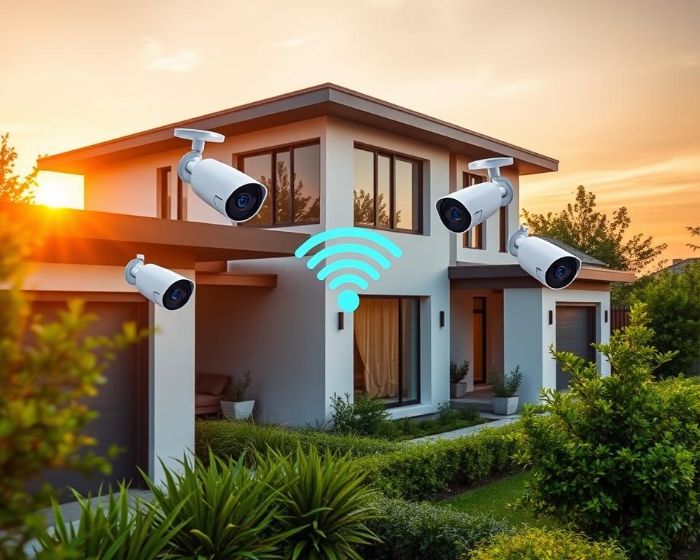
Have you thought about how safe your home is without good surveillance? Today, Wi-Fi security cameras are changing how we keep our homes safe. They are easy to set up and let you watch your home from anywhere. This makes them great for keeping your home and business safe.
Wi-Fi cameras have cool features like motion detection and night vision. They let you watch your home from anywhere in the world. If you want to make your home safer, learning about Wi-Fi cameras is a good start.
Key Takeaways
- Wi-Fi security cameras eliminate the need for extensive cabling, making installation quick and cost-effective.
- Remote access allows users to monitor their properties in real time from anywhere.
- Flexible placement options make Wi-Fi cameras ideal for renters and those needing mobility.
- These cameras integrate seamlessly with smart home systems for enhanced automation.
- Advanced features, such as high-definition recording and night vision, aid in identifying potential threats.
- Scalability enables users to easily add cameras as security needs evolve.
Table of Contents
What Are Wi-Fi-Enabled Security Cameras?
Wi-Fi-enabled security cameras connect to a wireless network. This lets users watch their homes from anywhere. They are better than old systems because they are easy to set up and use.
Knowing what a Wi-Fi security camera is shows how home security has changed. It’s a big step forward.
How They Differ from Traditional Security Systems
Wi-Fi cameras are different from old systems. Old cameras need cables for a strong connection. But Wi-Fi cameras don’t need cables, making them easy to install.
Old cameras always have power because they’re plugged in. But Wi-Fi cameras can use batteries or solar power. This is great for outdoor use. Yet, Wi-Fi cameras might be more vulnerable to hacking.
Common Features Found in Modern Wi-Fi Cameras
Today’s Wi-Fi cameras have cool features. They can show clear video, even at night. They also have smart motion detection and can record video as long as they’re connected to Wi-Fi.
Some cameras work with smart homes. This makes security better and more connected.
Key Benefits of Wi-Fi-Enabled Security Cameras
Wi-Fi-enabled security cameras offer many benefits. They improve both home and business security. Their advanced tech fits well with today’s lifestyle, adding great features for security.
Real-Time Remote Monitoring
Wi-Fi cameras let you watch your place in real-time from anywhere. You can use your phone, tablet, or computer. This makes it easy to keep an eye on your property.
They send alerts right away if something looks off. This is key for staying safe and secure.
Enhanced Security and Intruder Deterrence
Security cameras are a big help in keeping intruders away. Seeing cameras makes intruders think twice. This makes your place safer and more secure.
High-Quality Video and Audio Recording
Wi-Fi cameras record in high quality. They have better video than old systems. This means clearer recordings.
They also have great audio. This helps in solving security issues. Good video and audio are key for watching over your place.

How Wi-Fi Cameras Contribute to Home Safety
Wi-Fi cameras are key to making homes safer. They help prevent crime and gather important evidence. This is more than just watching; it’s about keeping your home safe.
Deterring Potential Intruders with Visible Surveillance
Wi-Fi cameras make homes less appealing to burglars. They are placed where they can be seen, showing that someone is watching. This makes homes less likely to be broken into.
Capturing Evidence for Security Incidents
When a break-in happens, Wi-Fi cameras are there to help. They record in high definition, capturing sounds and images. This helps police find the culprits.
Users can watch their cameras online. This lets them share footage with the police fast. The cameras also update their software to keep your data safe.
Features to Look for When Choosing a Wi-Fi Security Camera
When picking a Wi-Fi security camera, knowing the key features is important. Look for night vision and motion detection. These help a lot in keeping an eye on things. Also, think about how the mobile app lets you get alerts and talk to the camera.
Night Vision and Motion Detection
Night vision is key for seeing things in the dark. It should work at least 30 feet away. Motion detection should let you set areas and how sensitive it is to avoid false alerts.
Mobile App Integration and Smart Alerts
Today’s Wi-Fi cameras have apps that send alerts when something might be wrong. The app lets you see what’s happening live and talk back. This makes it easy to stay in touch with your home, giving you peace of mind.
Installation and Placement Tips for Maximum Coverage
Putting Wi-Fi cameras in the right spots is key. It helps cover more area and keeps intruders away.
Best Locations for Installing Wi-Fi Cameras
Here are the top places to put your Wi-Fi cameras:
- Entrances like front and back doors for clear views.
- Driveways to watch for any cars coming in.
- Inside, in hallways and kitchens where people often go.
- Ground floor windows, since they’re easy to get into.
Make sure cameras are high up and not blocked. This stops people from messing with them and keeps video quality good.
DIY Installation vs. Professional Setup
Choosing between DIY and a pro setup depends on you. Many cameras are easy to install yourself. Here are some tips:
- Pick outdoor cameras that can handle the weather.
- Look for cameras with features to reduce glare, like HDR.
- Think about how easy or hard the setup is for you.
Some people might want a pro to do it for them. This way, they know it’s done right and works best. Planning well and making smart choices helps keep your place safe.
Common Concerns and Troubleshooting Wi-Fi Cameras
Using Wi-Fi cameras can raise worries about connectivity and privacy. Fixing these problems can make your security system better and more reliable.
Connectivity and Range Issues
Wi-Fi problems can make security cameras less useful. Here are some tips to help:
- Place cameras close to your router for a strong signal.
- Try rebooting your cameras to fix short-term issues.
- Check if walls or metal objects block your Wi-Fi signals.
- Use a Wi-Fi range extender if cameras are far from your router.
- Connect dual-band cameras to the 5 GHz channel to avoid interference.
Ensuring Data Security and Privacy
Data privacy is a big concern with Wi-Fi cameras. Here’s how to keep your feeds safe:
- Use strong passwords and update them often.
- Turn on encryption to keep your streams private.
- Keep your camera’s software up to date to avoid threats.
- Make sure your camera settings are right for the best performance.
Reolink is known for its top-notch cameras. They offer 24/7 free help for any camera issues. Cameras like the Reolink Altas PT Ultra and the RLC-811A have cool features. They work well and keep your data safe.
Final Thoughts on Choosing the Right Wi-Fi-Enabled Security Camera
When picking Wi-Fi cameras, finding a balance is key. High-end systems offer cool features like 4K resolution but cost more. You need to think about what you need and how much you can spend.
Brands like Lorex and eufyCam E show the range of options. Lorex is great for night vision, and eufyCam E has local storage. These features are important to consider.
Customer reviews are very important when choosing Wi-Fi cameras. Reading what others say can give you real insights. For example, the Reolink Argus PT 4K+ is loved for its quality and price.
The Ring Spotlight Cam Battery is a top pick for outdoor use. It works well, as many customers have found out.
Doing your homework helps you choose the right camera. Look at what each camera offers and its price. Also, check out what others say. This way, you can find a camera that fits your needs and budget.
FAQ
What are the main advantages of using Wi-Fi security cameras?
Wi-Fi security cameras let you watch your home live from anywhere. They’re easy to set up and move around. You get clear video, see in the dark, and get alerts when something moves.
How do Wi-Fi-enabled security cameras differ from traditional wired systems?
Wi-Fi cameras don’t need cables, making them simple to install. They can be moved easily. This lets you watch your home from any device, without being tied to one spot.
What common features should I expect in modern Wi-Fi cameras?
Today’s Wi-Fi cameras have HD video, night vision, and motion detection. They also offer cloud storage. These features help you keep an eye on your home, even when it’s dark.
How can Wi-Fi cameras enhance my home security?
Wi-Fi cameras scare off intruders by showing they’re being watched. They send alerts and record video and audio. This is great for solving problems and getting insurance help if something happens.
What should I look for when choosing a Wi-Fi security camera?
Look for cameras with night vision, motion detection, and apps for alerts. Choose ones that are easy to use and let you set up alerts. This makes watching your home better.
Where are the best locations for installing my Wi-Fi cameras?
Put cameras at doors, driveways, and busy spots. Avoid places where they might get blocked or broken. This helps you see everything around your home.
What are some common connectivity issues I might face with Wi-Fi cameras?
Weak signals can be a problem. This might happen if things block the signal or you’re too far from your router. Try moving the camera or improving your network to fix this.